


Migoo–Personalized AI For You
4.214.00 Reviews
App Specs
- Version
- 1.19.1
- Updated On
- License
- Free
- Downloads
- 10,000+
- Developer
- Developer Migoo - US
- Categories
- Productivity
- Platform
- Android
Screenshots
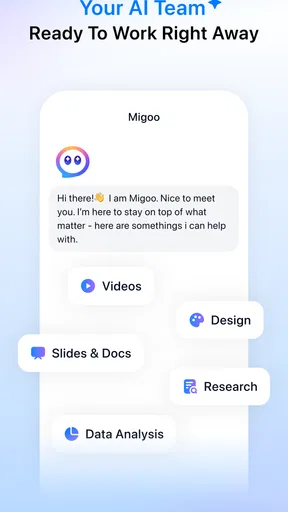

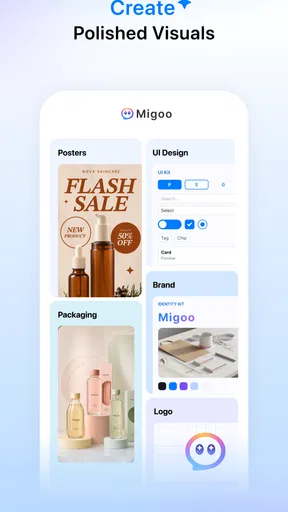

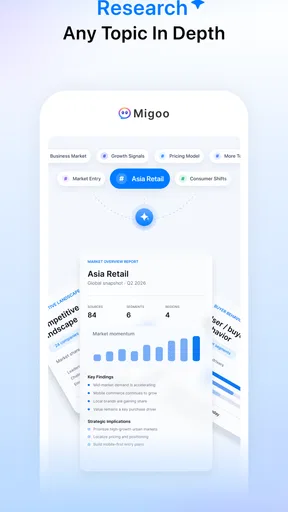
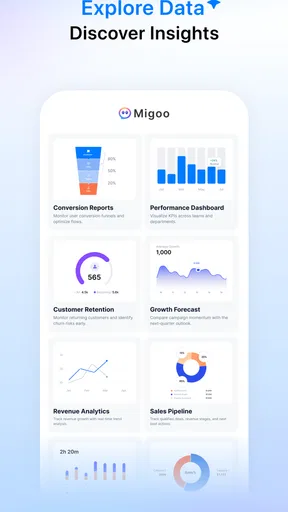

 Analysis by AppCompare
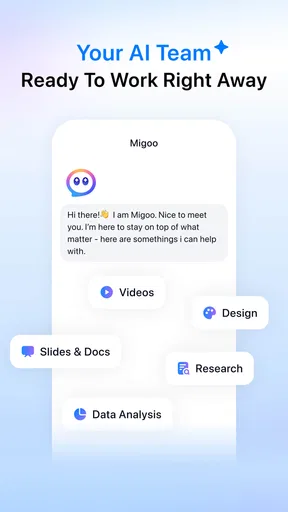
I approached Migoo–Personalized AI For You as a productivity app for people who want help organizing the overlap between work and ordinary life. Its central promise is not simply “make a list,” but to help you move from scattered intentions toward a more usable next step. That makes it interesting for anyone who regularly carries tasks, ideas, reminders, and personal plans in their head at the same time.
My first impression was that Migoo is easiest to understand when treated as a practical assistant rather than a replacement for every tool on your phone. You still need to tell it what matters, but the appeal is in having one place where work-related and personal priorities can sit together. The developer is Developer Migoo - US, and the app belongs to the productivity category. It is free to install, with optional in-app purchases ranging from $1.00 to $840.00 per item, so I would pay attention to any upgrade screen before confirming a purchase.
Getting from installation to a useful first result
I’d use this section to make the first session feel manageable: pick one real task, give it a clear outcome and a practical constraint, then judge whether the result helps you start. That small test can show whether Migoo suits the way you plan before you bring more of your work and personal routine into it.
What I would expect before opening it
The store summary describes Migoo as working ahead of you across work and life, while the short description is simply “Migoo.” That leaves the app’s value clearer in spirit than in detail: it is aimed at personalized assistance, but you should not install it expecting a conventional calendar, a plain notes app, or a basic checklist with a different color scheme.
That distinction matters. A traditional task manager is usually strongest when you already know the exact task, deadline, and project. Migoo makes more sense when your input is less tidy: “I need to prepare for next week,” “I keep forgetting the small things around this errand,” or “I want to make progress on a personal plan without losing track of work.” The useful starting point is not perfect organization; it is giving the app enough context to help shape your next action.
I would also set expectations around privacy and responsibility in a practical way. Any personalized assistant becomes more useful when you share relevant context, but I would avoid entering sensitive information until I had read the app’s own notices and understood how I was comfortable using it. That is not a criticism unique to Migoo; it is simply good practice whenever an app is intended to work across personal and professional life.
Setting it up without overthinking the profile
For a first launch, I recommend starting with a small, ordinary goal instead of trying to describe your entire life. Choose something with a clear outcome, such as preparing a meeting, planning a household task, or breaking a personal project into manageable pieces. A narrow example gives you a better test of the app than a vague instruction like “organize everything.”
Worth Reading Before You Choose

EA SPORTS FC Mobile 26 Is a Bigger Football Game, but It Takes Time

Flipboard Shows What News Apps Must Do Beyond the Feed

Switching to Android Auto Means Rethinking Your Driving Routine

Google Calendar Makes a Crowded Week Easier to Manage

Ludo King Makes the Most of the Minutes Between Plans

Baby Panda World Brings Quick Play to Modern Phones, but Its Game Library Feels Busy
When an app is built around personalization, new users often make one of two mistakes. They either provide almost no context and then decide the results are too generic, or they spend too long trying to create a perfect profile before doing anything. I found the better compromise is to provide only the information that changes the immediate decision: what you are trying to achieve, when it matters, and what is making it difficult.
For example, instead of entering “finish presentation,” I would frame the request around the real situation: the presentation is for a meeting, the outline is incomplete, and I have a short window this evening. That wording gives an assistant something actionable to work with. It also makes it easier to judge whether the response is genuinely useful rather than merely well written.
The app is suitable for users on Android 7.0 or later, which keeps the compatibility requirement fairly approachable for people using older supported devices. Its current version is 1.19.1. The age classification is Teen, so families should still review the app in the context of the person using it, especially because an assistant handling mixed work and life topics may invite more personal input than a simple timer or calculator.
The first meaningful action I would try
My recommended first test is a task that contains several hidden steps. Imagine that you need to prepare for a Friday appointment. The visible task is “get ready,” but the real work may include collecting documents, writing questions, checking travel time, and setting aside anything you need to bring. This is where a personalized productivity assistant has a chance to be more helpful than a blank checklist.
I would enter the goal in everyday language, mention the deadline, and explain the constraint. Then I would inspect the response for three things: whether it identifies a sensible first move, whether the suggested steps fit the time available, and whether it asks for information that actually improves the plan. If it gives me a clear action I can complete immediately, that is the first meaningful success.
This workflow also exposes an important trade-off. The more open-ended the request, the more interpretation the app has to perform. That can feel convenient when you are stuck, but it can also produce suggestions that need editing. I would not accept a generated plan as automatically correct. I would use it as a draft, remove anything irrelevant, and keep the parts that reduce mental load.
A useful habit is to convert the first result into a short sequence rather than a large project. If the app suggests ten actions, ask yourself which one unlocks the others. For the appointment example, locating the required document may be more valuable than immediately planning every detail. This is one of the less obvious ways to get better results: use the assistant to identify the bottleneck, not to create the longest possible plan.
A realistic day with work and personal tasks together
Consider a weekday when I have to reply to a client, prepare notes for an internal discussion, buy groceries, and remember to call a family member. In a conventional setup, I might scatter those items across email, a calendar, a notes app, and a reminder list. That arrangement can work, but it forces me to perform the organizing myself and decide which context deserves attention first.
Migoo’s appeal in that situation is the possibility of describing the whole pressure point in one place. I could explain that the client reply is urgent, the discussion needs preparation before the afternoon, and the personal errands must happen on the way home. The resulting suggestions may help me see the day as a sequence of decisions rather than four unrelated reminders.
I would still keep fixed appointments in a dedicated calendar if precise scheduling is essential. A productivity assistant can help me think through the work, but a calendar remains the better reference for immovable times. Likewise, I would keep important documents in the service designed to store them. Migoo is most convincing as a layer for planning and prioritizing, not as a reason to abandon every specialized tool.
Where new users may become confused
The word “personalized” can create an unrealistic expectation that the app will understand a user immediately. In practice, personalization improves through clearer context and useful corrections. If the first answer feels too broad, I would not conclude that the app has failed after one attempt. I would clarify the desired outcome, state what I have already done, and identify the limitation that matters most.
Another likely point of confusion is the difference between an idea and a commitment. A suggestion from an assistant is not automatically a scheduled obligation. I would treat recommendations as proposed actions until I deliberately accept them and place them where I will actually see them again. This prevents the common failure mode of feeling organized inside the app while still forgetting the task later.
There is also a potential mismatch between users who enjoy conversational planning and users who want immediate manual control. If you prefer opening a list, tapping a checkbox, assigning a label, and moving on, a conventional task manager may feel faster. Migoo is better suited to moments when the problem is deciding what to do, how to begin, or how several responsibilities relate to one another.
I would be especially careful with professional information. Work planning often includes names, deadlines, and internal details, while personal planning can include health, finances, or family matters. Even when an app feels private and convenient, I would keep the first experiments general and add detail gradually. The best productivity system is one I can use comfortably and consistently, not one that demands more disclosure than I am willing to provide.
How it compares with familiar productivity alternatives
Compared with a notes app, Migoo has a more active role in turning an unstructured thought into a possible plan. Notes are excellent for preserving information exactly as you wrote it, but they usually leave the next step to you. If I am collecting research or drafting ideas, I prefer notes. If I am unsure how to move from the idea to action, Migoo is the more interesting option.
Compared with a standard to-do list, the difference is the starting point. A list works beautifully when tasks are already clear and small. It is less helpful when the task is “sort out the move,” “prepare for a difficult conversation,” or “get back on track after falling behind.” Migoo can be useful before the list, helping turn a fuzzy responsibility into realistic actions. The trade-off is that I may need to review and simplify the result more than I would with a manually written checklist.
Compared with a calendar, Migoo is less about representing fixed time and more about deciding what deserves attention. I would not use it as my only system for appointments. Instead, I see it as a planning companion that can help me prepare for calendar events and handle the work around them.
Compared with a general AI chatbot, the productivity focus is the important distinction. A chatbot can discuss almost any subject, while Migoo is positioned around personal assistance across work and life. That focus may make it easier to keep requests tied to action, but users who want broad research, creative conversation, or technical exploration may prefer a more general service.
Three practical ways to get more from it
First, use constraints deliberately. Tell Migoo what you can realistically do today, what must wait, and what you are unwilling to compromise. A plan that respects a twenty-minute window is more useful than an impressive plan that assumes an empty afternoon. This is particularly valuable for people who routinely overestimate their available time.
Second, ask for sequencing rather than volume. Instead of requesting every possible task connected to a goal, ask what should happen first and what can wait. This reduces the temptation to collect suggestions without acting on them. I find that a short, ordered path is easier to carry into the rest of the day than a large inventory of possibilities.
Third, use the app for transitions between contexts. The moment after finishing work, returning from travel, or starting a new project is when scattered responsibilities tend to collide. Describing that transition can reveal the one or two actions that prevent tomorrow’s problem. This is a more distinctive use than asking an assistant to produce another generic daily routine.
A fourth technique is to return with feedback. If a suggestion was impractical, say why: the task requires another person, the necessary information is missing, or the proposed order conflicts with a deadline. That correction is more useful than silently ignoring the result, because it gives the next interaction a clearer boundary. I would judge the app by how much easier it becomes to reach a workable action, not by whether every first suggestion is perfect.
Who should try it, and who should skip it
I can recommend Migoo to someone who feels overloaded by decisions rather than by the physical act of checking boxes. It is a promising fit for a freelancer balancing client work and home responsibilities, a student managing study with errands, or a busy household member who needs help turning vague intentions into a sequence.
It is less suitable for someone who only wants a lightweight reminder list, a specialist project-management system, or a precise calendar replacement. Teams that need formal assignments, detailed reporting, or established collaboration workflows should choose a tool designed specifically for those requirements. Migoo may help an individual prepare, but that does not make it a substitute for every shared workplace system.
I would also skip it if I am unwilling to review suggestions. Personal assistance is not the same as automatic correctness. The app can reduce the effort of thinking through a situation, but I remain responsible for checking deadlines, priorities, and sensitive details. People looking for a completely hands-off system may find that expectation frustrating.
What the current listing tells me about the app
Migoo is free to download and has passed ten thousand installs, with an average rating of 4.1 from twenty-two ratings and twelve written reviews. That gives a new user some early feedback to consider, but it is still a relatively small public sample. I would treat the rating as a useful signal rather than a guarantee that the experience will match my own workflow.
The free entry point makes experimentation straightforward, but the possible purchase range deserves attention. Because individual in-app items can extend from $1.00 to $840.00, I would read each offer carefully, confirm what it unlocks, and avoid assuming that every useful function is included at no cost. This is especially important for a productivity app, where an upgrade can become part of a daily routine.
The app was released on May 23, 2026, and the listed version is 1.19.1. I would keep it updated through the normal store process, particularly with an assistant whose behavior and polish may improve over time. Still, I would begin with a modest workflow and only make it central to my planning after it has handled several real situations reliably.
My next step after the first success
After completing the first small action, I would not immediately feed Migoo every responsibility I have. I would test it on three different situations: one work task, one personal errand, and one goal that is difficult because it feels vague. That comparison shows whether the app is genuinely flexible or only helpful for a narrow type of request.
I would also create a simple handoff habit. Once Migoo helps me identify the next action, I would place that action in the system I already check, whether that is a calendar, reminder list, or project board. This prevents the assistant from becoming another isolated inbox. Its value comes from improving the decision, while my existing tools remain responsible for follow-through.
After a week of this approach, I would ask myself whether I am starting tasks faster, missing fewer small obligations, and spending less time reorganizing the same thoughts. Those are better measures than the number of suggestions produced. If the answer is yes, Migoo has earned a place in my routine. If I still have to rewrite everything manually, a simpler task app may be the more efficient choice.
Overall, I see Migoo–Personalized AI For You as a potentially useful bridge between a blank page and a practical plan. Its strongest case is the messy middle: responsibilities that cross work and life, goals that are not yet broken down, and days when deciding where to begin is the hardest part. I would approach it with clear context, modest expectations, and careful review of purchase prompts. For first-time users willing to guide the assistant and act on the result, that is a reassuring way to discover whether it can genuinely make the next step easier.
Pros
- Personalized AI responses adapt to your interests and conversation style.
- Useful for brainstorming
- writing help
- planning
- and everyday questions.
- Clean interface makes starting a conversation quick and straightforward.
- Can help organize ideas without requiring advanced technical knowledge.
- Suitable for casual users seeking an all-purpose AI assistant.
Cons
- AI answers may occasionally be inaccurate or require fact-checking.
- Personalization may depend on the amount of information you provide.
- Some advanced features may be restricted behind a paid subscription.
- Conversations involving sensitive data may raise privacy concerns.
- Response quality can vary depending on how clearly prompts are written.
FAQs for Migoo–Personalized AI For You
What is Migoo–Personalized AI For You?
Migoo–Personalized AI For You is an artificial intelligence app designed to provide personalized assistance through conversations, recommendations, and interactive tools. Depending on the version and available features, users may be able to ask questions, generate ideas, receive help with everyday tasks, and explore content adapted to their interests. Its main appeal is the attempt to make AI interactions feel more personal and convenient.
Is Migoo–Personalized AI For You free to download and use?
The app may be available to download at no initial cost, but some features can require in-app purchases, a subscription, or usage credits. Before relying on premium tools, users should check the current pricing shown on the Google Play Store or Apple App Store. Availability, limits, trial periods, and subscription terms may also vary by country, device, and app version.
What can I use Migoo for?
Migoo can be useful for a range of general tasks, such as brainstorming, drafting messages, explaining topics, generating creative ideas, organizing information, and having casual AI conversations. The exact tools may differ between updates, so it is best viewed as a flexible assistant rather than a replacement for professional advice. Always review generated responses carefully before using them.
Does Migoo protect my conversations and personal information?
Because Migoo processes user interactions through AI services, privacy is an important consideration before creating an account or sharing information. Users should read the app’s privacy policy and permissions carefully to understand how conversations, account details, and device data may be collected or stored. Avoid entering passwords, financial information, confidential work material, or other highly sensitive personal data.
Does Migoo require an internet connection?
Most AI assistants require an active internet connection because requests are generally processed through online servers. Migoo may not work fully, or may offer only limited functionality, when the device is offline or connected to an unstable network. Performance can also depend on server availability, account status, and regional restrictions. Keeping the app updated may help with compatibility and reliability.


